
Download SkyStar 2 DVB TV PCI card Driver 4.5.1 Windows 7
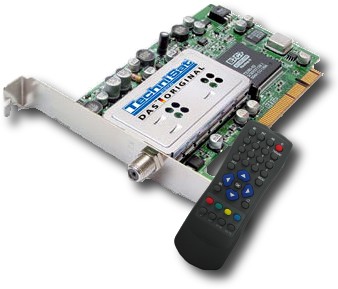
TechniSat release a new driver that work with Windows 7 OS V 4.5.1, the new driver bring more fixes and enhencements , if you have problems installing your old SkyStar 2 DVB TV PCI card on Windows 7 , just try this driver .
Improvements:
- General improvement of software stability
- Added support for Windows 7 (RTM)
- This download package contains the actual DVBViewer TE2
- This download package contains the actual standard decoder pack (v 1.5.0.1) from Mainconcept
If the driver fail , try installing the driver manually from the windows device manager , and search the driver inside the driver folder you downloaded .
if any problem , just leave a comment.
Update: for those who are getting errors after installing the Skystar 2 driver with yellow mark on device, please refer to our SkyStar 2 driver error problem fix Windows 7.
Download the Driver:
mirror 2
Download SkyStar 2 DVB TV PCI card Driver 4.5.1 Windows 7
 Reviewed by Mhr
on
23:14
Rating:
Reviewed by Mhr
on
23:14
Rating:
Reviewed by Mhr
on
23:14
Rating:


.png "English")


Guyz i can`t Download SkyStar 2 DVB TV PCI card Driver 4.5.1 Windows 7. At the end of downloading, progress is waiting..Guyz Help me please!!! I need this driver =((
ReplyDeleteanother mirror : http://www.4shared.com/file/BWyLWHrt/soft_451_dvb_pc_tv_stars_6816.html
ReplyDeleteDVB device not found ! Nothing but lurking problems with crappy manufacturer hardware ! WHAT ABOUT AUTODETECT & AUTOCONFIG ??????????????????????????????????????????????????????????????????????????????????????????????????????????????????????????????????????????????????????
ReplyDeleteWhat a crap !
Hello
ReplyDeleteif anyone still read this, Skystar seems not to work with family i6/C200 of intel Chipset. do anyone know a fix for this problem?
ReplyDeleteunInstall the old one and try the latest software : http://www.technisat-daun-fs.de/assets/medias/common/22/soft_deen_SkyStar12-TV_001.zip
ReplyDelete